
01
Keep-first flow
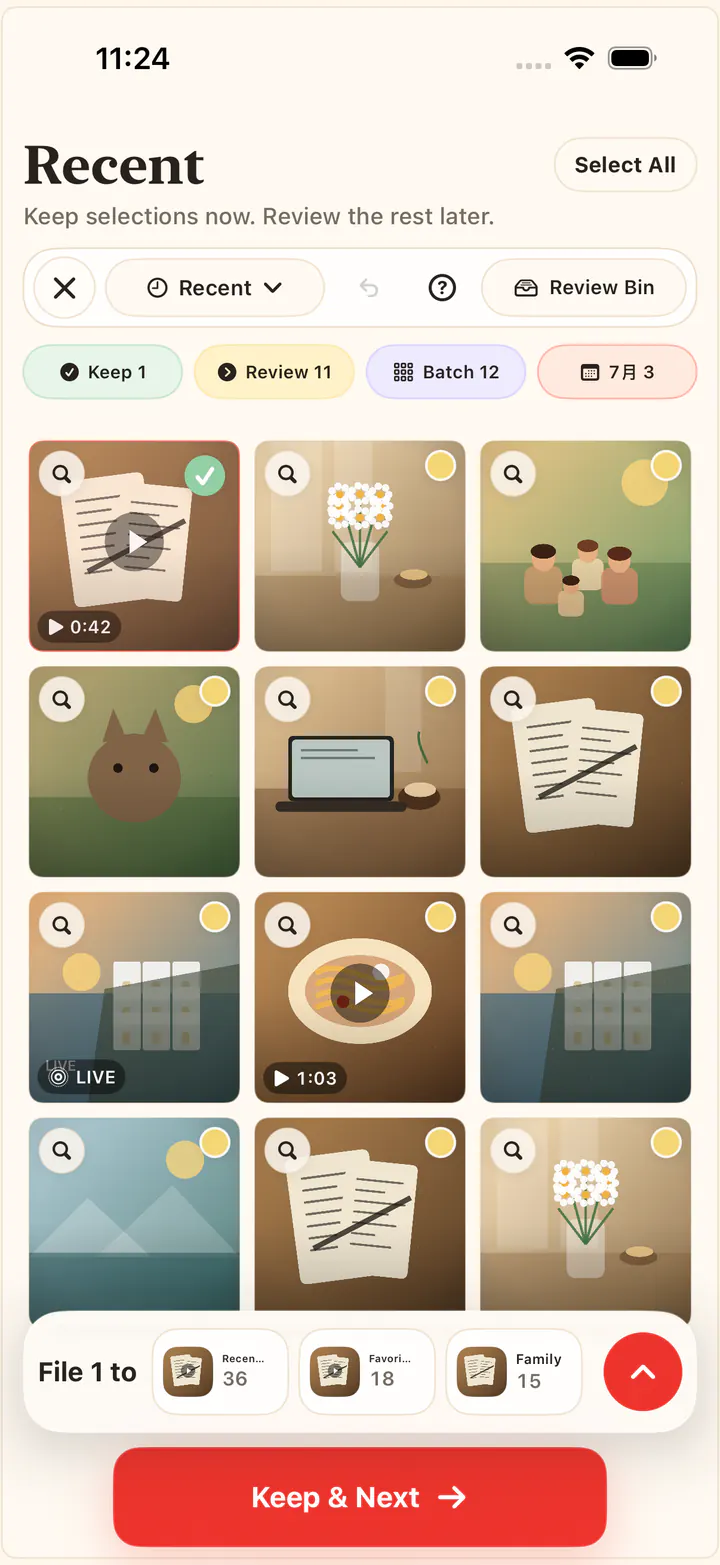
Start by selecting the photos worth keeping. Cleanup decisions feel safer because the app is built around preservation first.
iPhone photo cleaner, without panic deleting
Pick your keepers first. Review the rest in a Review Bin before deletion. Your photos stay on your iPhone.
Keepers first
Start with what matters.
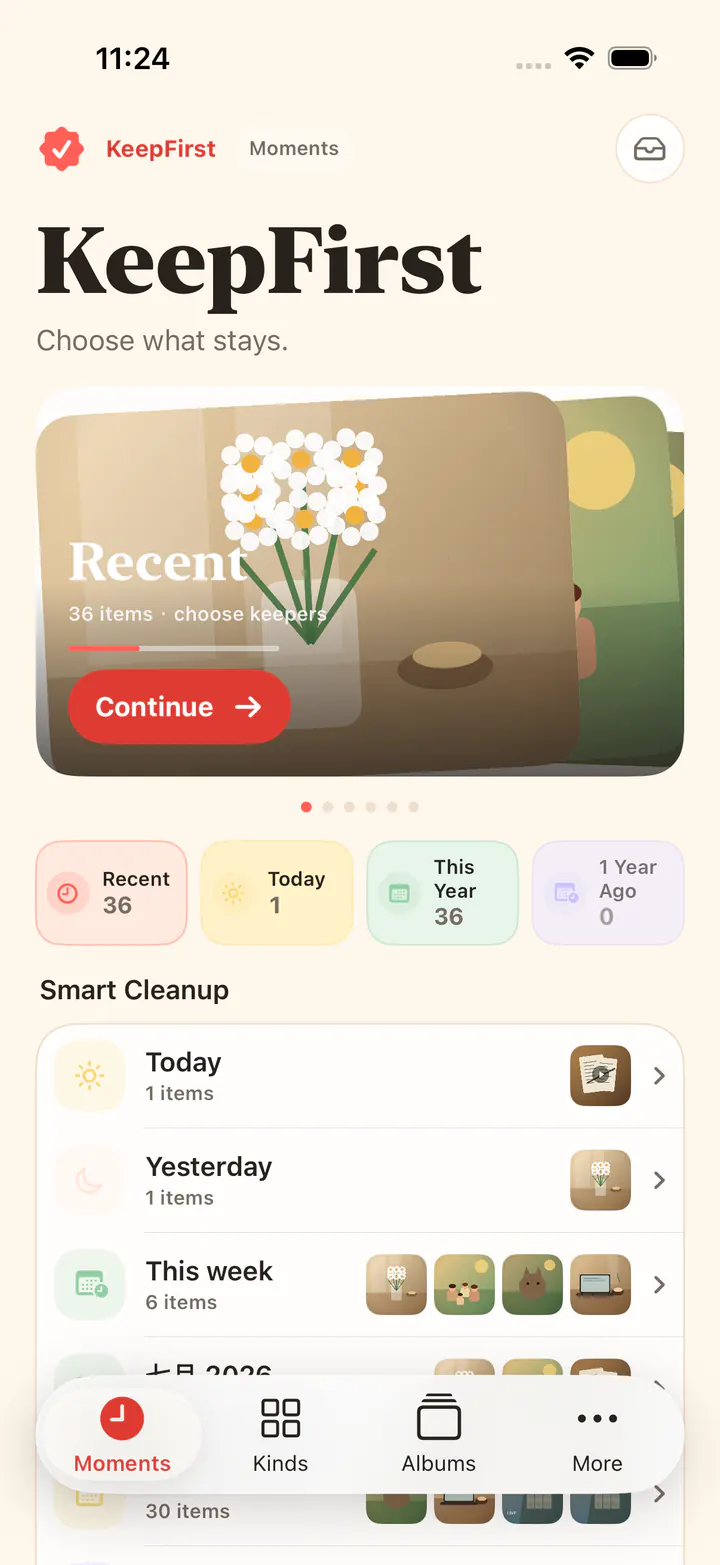
Review Bin
A second look before delete.
Local review
No photo upload.
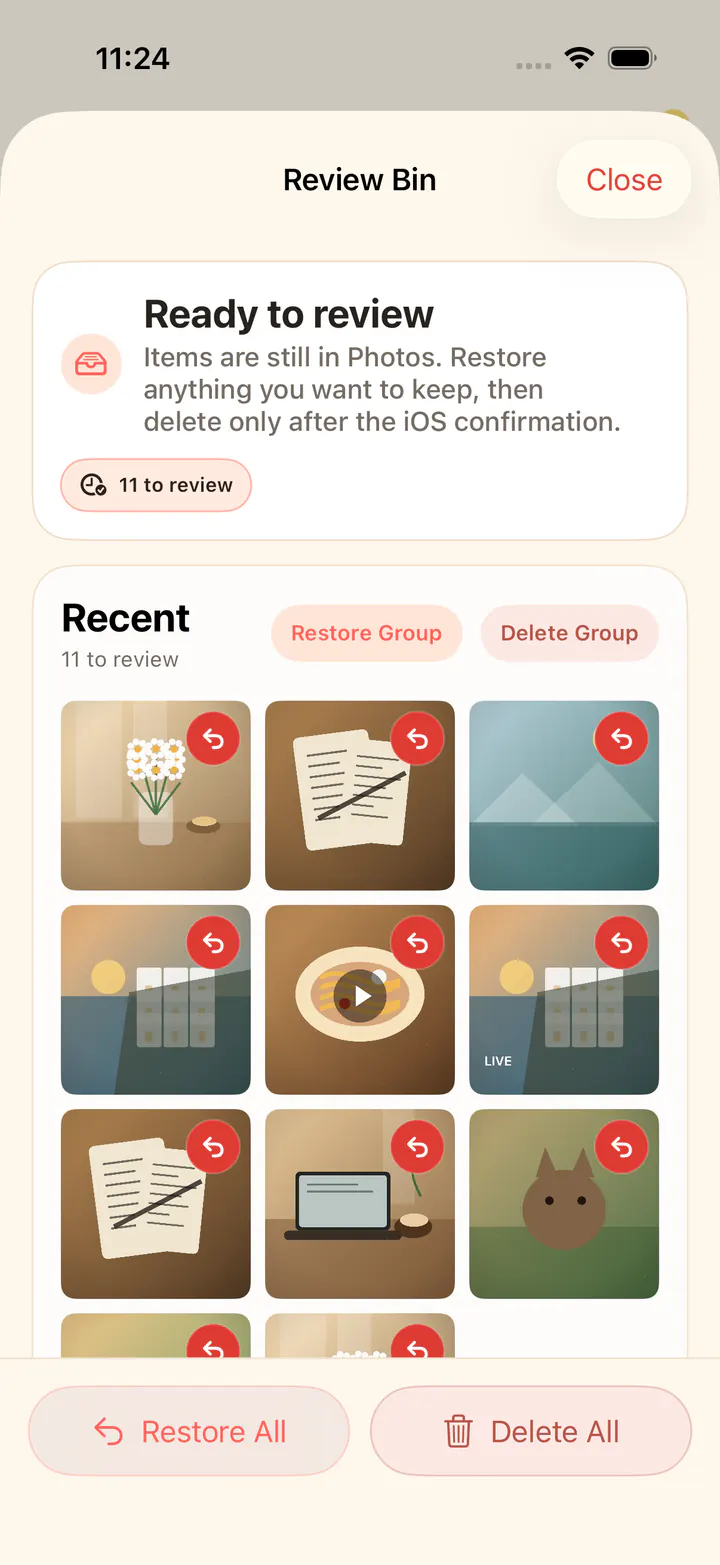
How KeepFirst feels
01
Start by selecting the photos worth keeping. Cleanup decisions feel safer because the app is built around preservation first.
02
Photos not selected for keeping move into an in-app review step before any iOS system deletion confirmation.
03
Photos are reviewed on your iPhone. Scene recognition is opt-in and runs on the device too. KeepFirst never uploads your library.
After cleanup
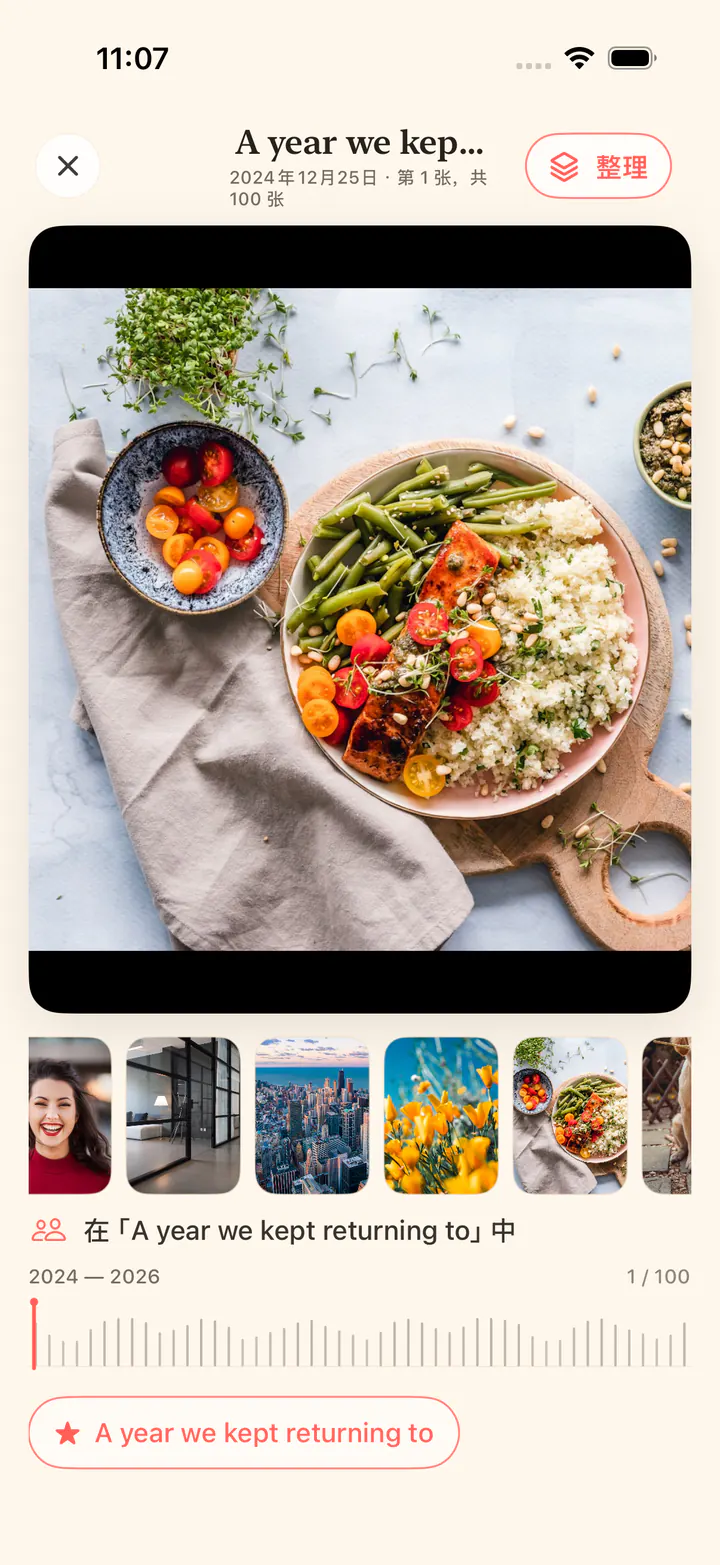
Cleanup is only the first half of KeepFirst. The photos you protect become a private, photo-led shelf you can name in your own words and browse without uploading your library.
Use names that mean something to you. One photo can live in several Keeps.
Swipe one photo at a time, use the filmstrip, or travel through a long Keep by date.
Keep names and memberships stay local. There is no account and no cloud sync.
Made for real camera rolls
Start where the clutter actually is—by time, by type, or by scene—then keep the photos worth returning to in your own words.
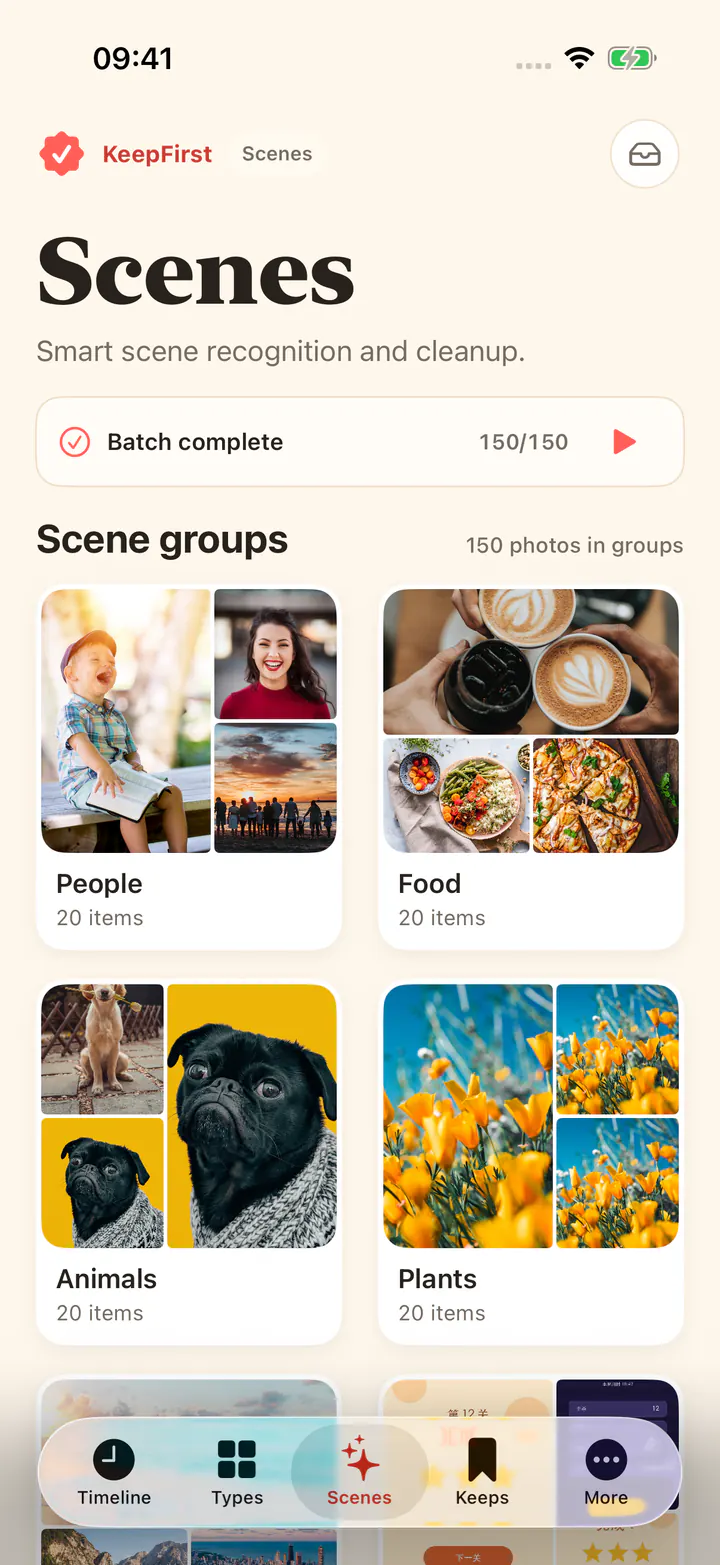
Turn on recognition and KeepFirst groups photos into scenes such as people, food, animals, plants, and scenery, and splits screenshots into chats, games, posts, orders and receipts, and apps. It runs on your iPhone, you can pause it any time, and you still choose what stays.
Return to a day, week, month, or a shuffled Explore batch when you have a little time to decide.
Find screenshots, videos, Live Photos, screen recordings, and more without building a filing system.
Review local lookalike groups and choose the best shot yourself. Similar never means automatic deletion.
Name the memories in your own words, let one photo belong to more than one Keep, and revisit them over time.
Nothing disappears here.
Review, restore, or confirm with iOS when ready.
Private by design
KeepFirst is designed for local, deliberate photo cleanup—not cloud storage, cloud AI, or a data-hungry camera-roll scanner.
Start at your pace
Each device can process 200 newly processed photos or videos free. The organize button follows your selection: Clean All, Keep a count, or Keep All. Optional Weekly, Monthly, and Lifetime purchases unlock unlimited local cleanup, and the purchase page accepts Apple offer codes.
Photo cleanup guides
Specific answers for storage pressure, screenshots, duplicate-looking photos, and safer deletion. When the camera roll is hard to scan, sort photos on iPhone by date taken or size first.
Clean up iPhone photos
Six steps to clear out a camera roll, from duplicates to Recently Deleted.
Delete duplicate photos on iPhone
Merge exact copies in Photos, then review bursts and near-duplicates.
Clean up photo storage on iPhone
Recently Deleted still uses space. Free storage by videos, screenshots, and bursts.
Delete photos from iPhone safely
Batch deletes, iCloud sync, and Recently Deleted explained without the panic.
Find and review similar photos
Compare bursts and retakes locally, then keep the best shot.
Delete screenshots on iPhone
Clear chats, receipts, and game screens without losing the useful ones.
Sort photos on iPhone
Sort by date taken or date added. File size lives in iPhone Storage.
Organize photos on iPhone
Organize by time, type, and private Keeps around what you want to keep.
iPhone photo manager app
Manage a big library with review before delete.
iPhone photo cleaner app
What to look for before you trust a cleaner app with your camera roll.
About KeepFirst
KeepFirst is an iPhone photo cleaner built around preservation first. You choose what stays; the rest wait in an in-app Review Bin before any final iOS deletion confirmation.
Questions, answered
No. You choose the photos and videos to keep. Unselected items move to an in-app Review Bin, and final deletion requires the standard iOS system confirmation.
No. KeepFirst reads photos and videos on your device after you grant iOS Photos permission. It does not upload your media, use cloud AI recognition, or require an account.
Scenes groups your photos into scenes such as people, food, and scenery, and splits screenshots into chats, games, posts, orders and receipts, and apps, so you can clean one kind at a time. Recognition starts only when you turn it on, runs entirely on your iPhone, and can be paused. KeepFirst does not identify who people are, and nothing is deleted until you review it.
It enters Review Bin instead of being immediately deleted. You can restore it there, or ask iOS for final deletion when you are ready.
A device can process 200 newly processed photos or videos for free. The organize button follows your selection: Clean All, Keep a count, or Keep All. Manual Keeps organization stays available and is not limited by that allowance. Optional Weekly, Monthly, and Lifetime purchases unlock unlimited local cleanup, and the purchase page accepts Apple offer codes. There is no forced trial and no subscription prompt at startup.