
How to clean up iPhone photos: 6 steps to clear out your camera roll
To clean up iPhone photos, start with the piles that need almost no thought: merge exact duplicates, clear screenshots, and review long videos. Then pick one shot from each burst, go through the rest of the camera roll keeping the best photos first, and finish by emptying Recently Deleted, because deleted photos keep using storage for about 30 days.
Clean out your camera roll, step by step
Steps 1 to 3 and step 6 use only the Photos app. Steps 4 and 5 are where most people delete the wrong thing, so that is where a review step helps.
- 1
Merge exact duplicates
In Photos, tap Collections, then Utilities, then Duplicates. Tap Merge on a set, or Select and Merge for several. Photos keeps the best version and moves the extra copies to Recently Deleted.
- 2
Clear screenshots
Tap the Sort and Filter button in the Photos library, choose Media Types, then Screenshots. Tap Select and drag across the thumbnails to pick many at once, then delete the ones you no longer need.
- 3
Review long videos
Use the same filter with Videos. A few long clips often take more space than thousands of photos. Settings, then General, then iPhone Storage, then Photos shows how much the library uses.
- 4
Pick one shot from each burst
Bursts, retakes, and near-identical shots are not exact duplicates, so Duplicates will not catch them. Review them as a group and keep only the best one.
- 5
Keep the best first, review the rest
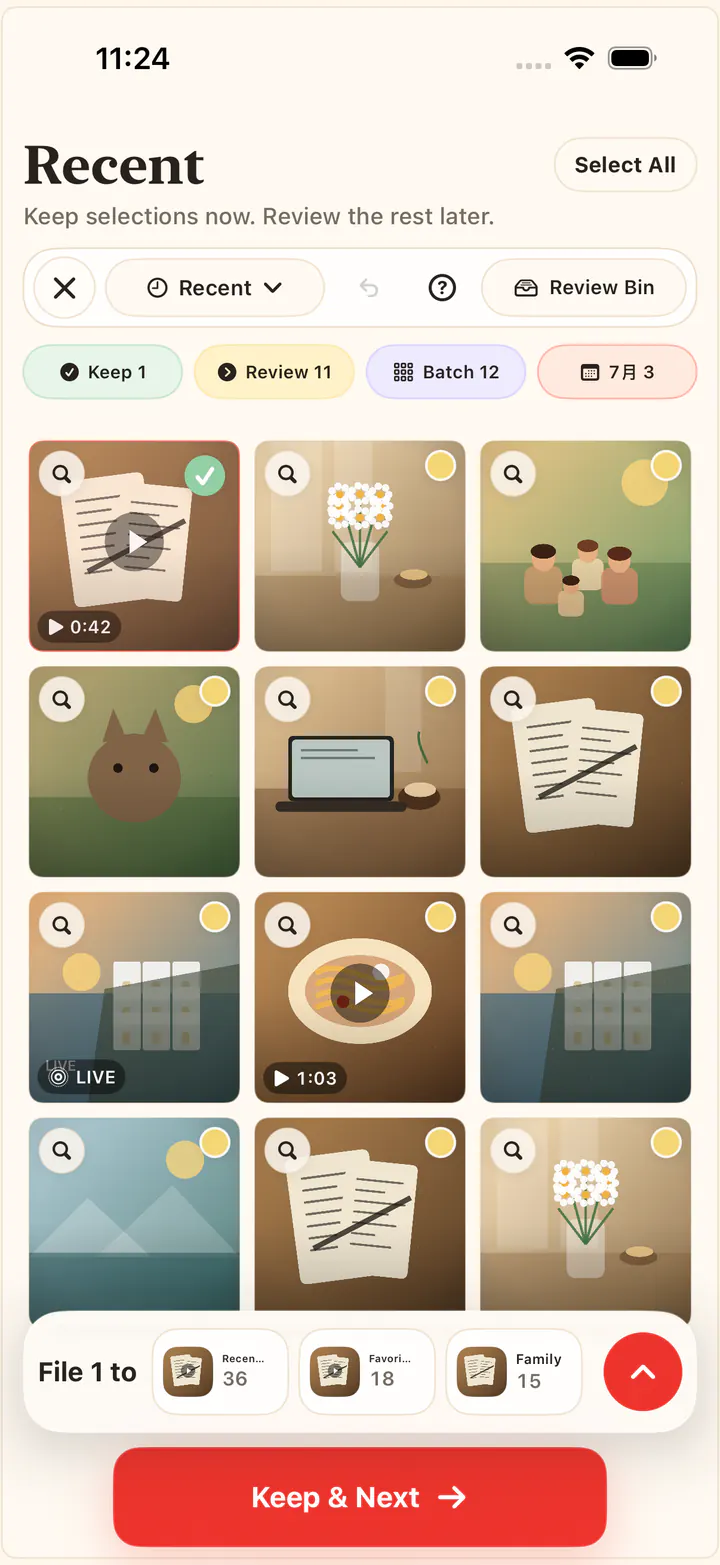
For the rest of the camera roll, work one small set at a time. In KeepFirst, tap the photos worth keeping; everything you did not choose moves to an in-app Review Bin instead of being deleted right away.
- 6
Empty Recently Deleted
Deleted photos stay in Collections, then Utilities, then Recently Deleted for about 30 days and still use storage. Check the album, then Delete All to reclaim the space.
What each step frees up
| Pile | Where to find it | How hard to decide |
|---|---|---|
| Exact duplicates | Collections → Utilities → Duplicates | Easy. Photos merges them for you. |
| Screenshots | Sort and Filter → Media Types → Screenshots | Easy, except receipts and confirmations you still need. |
| Long videos | Sort and Filter → Media Types → Videos | Medium. Few files, most of the space. |
| Bursts and similar shots | Not grouped by Photos; review them side by side | Hard. They look alike, so pick the keeper. |
| Everything else | The library, one month or event at a time | Hard. Keep first, review the rest. |
Need more detail on one pile? See delete duplicate photos on iPhone, delete screenshots on iPhone, or sort photos by date taken or size.
Why keep first instead of delete first
Deleting is easy. Deleting the right things is not. When you scroll a camera roll looking for what to remove, every photo becomes a small decision, and one tired swipe can take a photo you meant to keep. Choosing what to keep turns that around: you protect the few photos that matter in each set, and the rest can go.
That is how KeepFirst works. Open one time period, type, or scene, tap the keepers, and the photos you did not choose move to an in-app Review Bin. Nothing leaves your library until you check the bin and confirm the iOS delete prompt. Photos are reviewed on your iPhone and never uploaded.
Clean up by scene: chats, receipts, food, and more
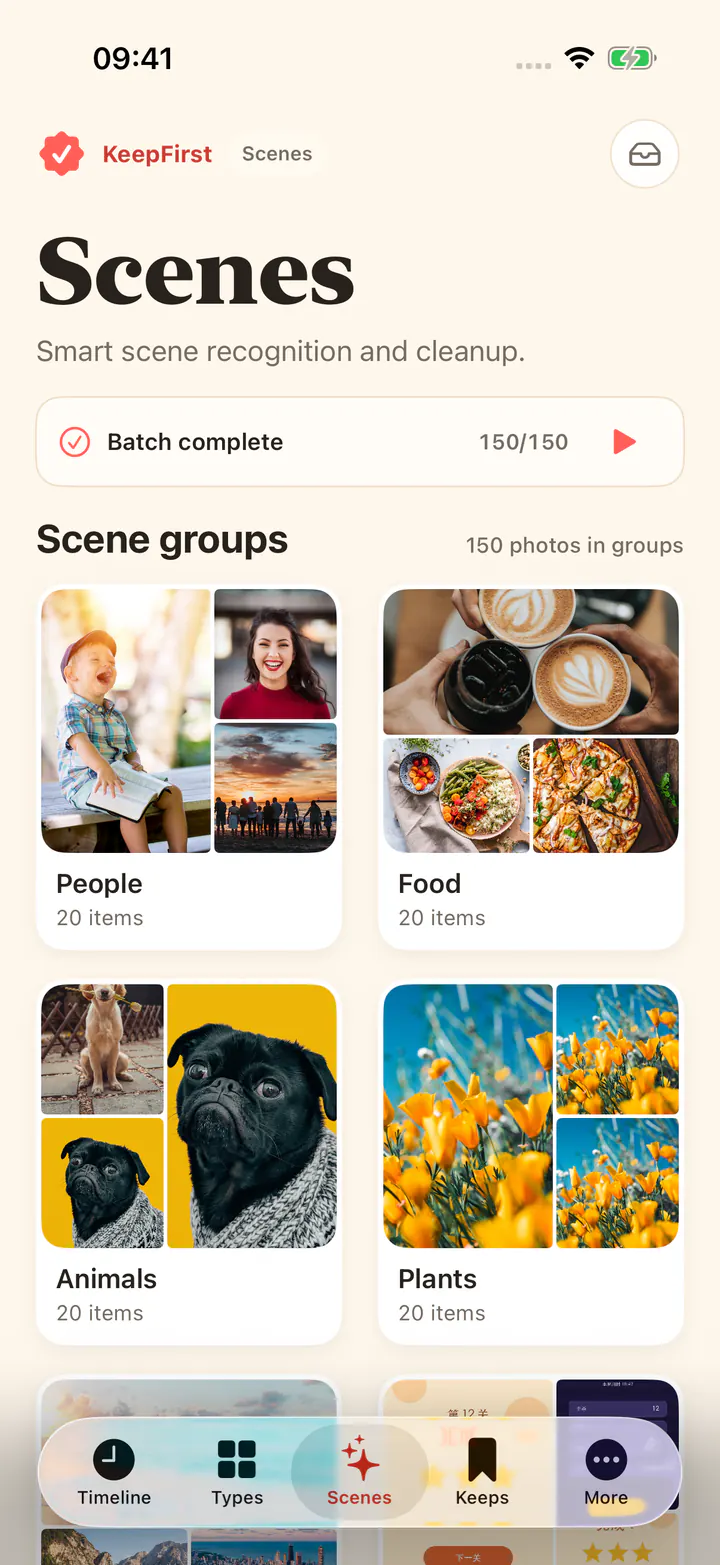
A big camera roll is hard to clean by date alone. KeepFirst’s Scenes tab can group photos into scenes such as people, food, animals, plants, and scenery, and split screenshots into chats, games, posts, orders and receipts, and apps. You turn recognition on yourself, it runs on your iPhone, and you can pause it at any time. The groups are a starting point; you still choose what stays.
If you meant Apple’s Clean Up tool
In Photos, open a single image, tap Edit, then Clean Up. That feature removes distractions from one picture. It does not delete photos and does not free storage. If your phone is full, the guide to freeing up photo storage on iPhone explains why space does not come back right away.
Frequently asked questions
- What is the fastest way to clean up iPhone photos?
- Start with the piles that need the fewest decisions: merge exact duplicates, then clear screenshots and long videos with the Media Types filter. After that, review bursts and similar shots, and finish with Recently Deleted so the space is actually freed.
- How do I clean up photos on iPhone for free?
- Everything built into Photos is free: Duplicates, the Media Types filter, multi-select delete, and Recently Deleted. KeepFirst is free to download and processes 200 new photos or videos on each device at no cost; optional purchases unlock unlimited cleanup.
- How do I clear my whole camera roll at once?
- In Photos you can tap Select and drag across rows to select large ranges, then delete them. Back up first. Deleted items go to Recently Deleted for about 30 days, so you can still recover a mistake until that album is emptied.
- Will KeepFirst delete my photos automatically?
- No. You choose the keepers, and the unselected photos move to the in-app Review Bin. The final deletion is a manual step that still goes through the standard iOS confirmation.
- Does KeepFirst upload my photos to the cloud?
- No. Photos are reviewed locally on your iPhone. KeepFirst does not upload your photo library, and its optional scene recognition runs on the device too.
- Is this the same as Clean Up in the Photos app?
- No. Apple’s Clean Up is an editing tool that removes a person or object from one photo. This guide is about reducing how many photos are in your library. A Safety Filter warning belongs to Apple’s editor, not to deleting photos.
Clean up with a safety net
KeepFirst keeps your best shots safe while you clear space: choose keepers first, review the rest, then delete with confidence.