
How to delete duplicate photos on iPhone more safely
Start in the Photos app, not in a cleaner. iOS can merge exact copies in the Duplicates album. That album does not include bursts, retakes, or photos you edited. For those near-duplicates, choose a keeper yourself and review the rest before deletion. You do not need a third-party app if Duplicates already lists the copies you care about.
Exact copy, similar shot, or burst
Search results mix these together. The cleanup path is different for each.
| What you have | What it is | What to do |
|---|---|---|
| Exact duplicate | The same shot twice, often after an import or AirDrop. Quality can differ. | Merge in Photos → Utilities → Duplicates. No app required. |
| Burst or retake | Several frames of the same moment. One is usually sharper. | iOS will not list these as duplicates. Review and keep one. |
| Edited photo | A crop, filter, or markup on the same Photos item. Revert stays on that item; Edit does not create a second file. | A second library item only appears after Duplicate, export, or another app. Review that pair; do not auto-merge. |
| Screenshot of a photo | A second file of the same scene, not an exact copy. | Clear from Screenshots if you still have the original. |
When you do not need an app
If Duplicates already shows the pairs you wanted to remove, stay in Photos. Merge keeps the higher-quality file and the useful metadata, then sends the extra copy to Recently Deleted. That is the right tool for true duplicates. A cleaner that promises “delete all duplicates automatically” is the wrong tool when the shots are only similar.
Merge exact copies, then review the rest
- 1
Open the Duplicates album in Photos
On current iOS, open Photos, tap Collections, then Utilities, then Duplicates. On older layouts, open Albums, scroll to Utilities, then Duplicates.
- 2
Merge exact copies if the album has any
iOS can merge exact copies of the same shot and keep the higher-quality file plus useful metadata. Confirm each set, or select several and merge. Merged extras go to Recently Deleted.
- 3
Treat an empty Duplicates album as normal
If the album is missing or empty, iOS found no exact copies. Bursts, retakes, and edited versions are not exact duplicates, so they will not appear here.
- 4
Review near-duplicates and choose a keeper
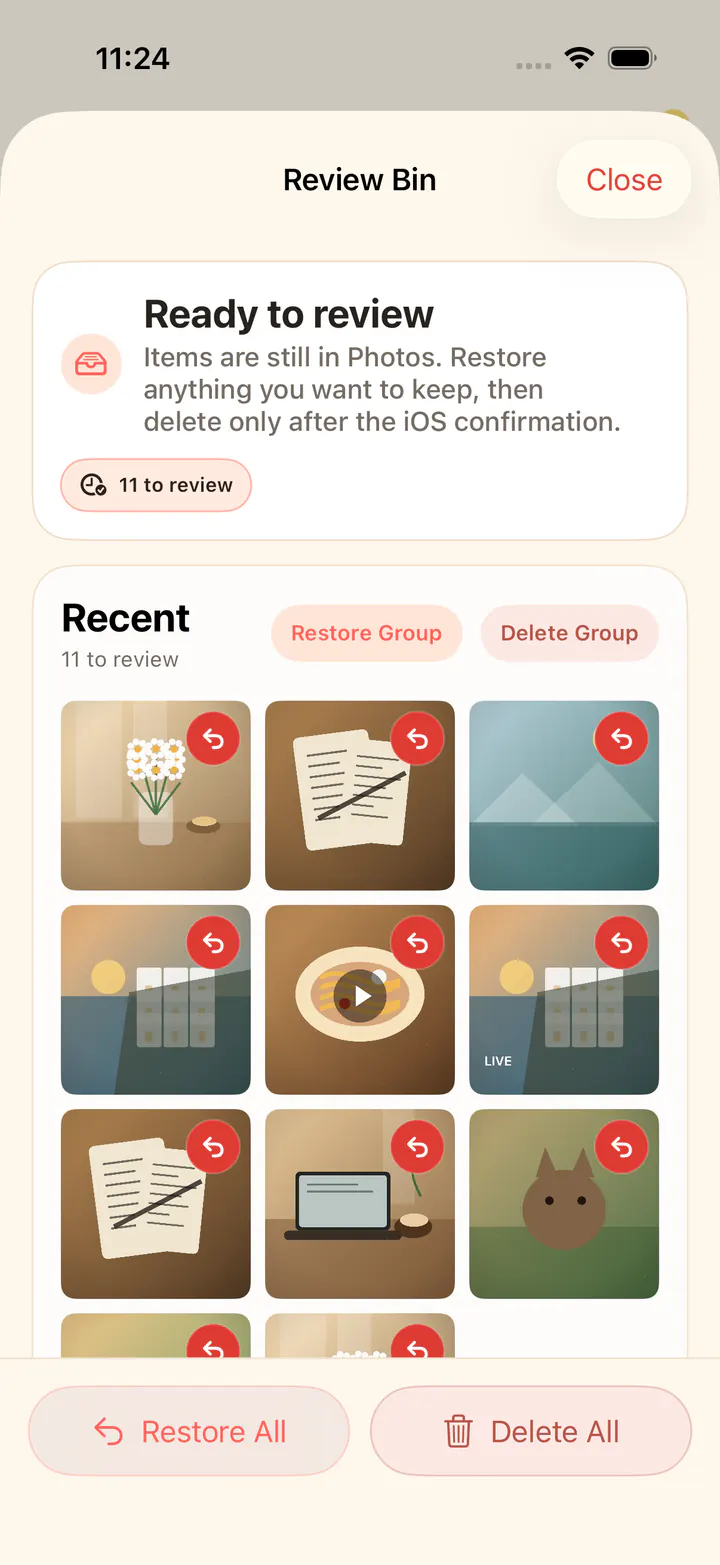
In KeepFirst, similar-photo groups are built locally. Pick the best shot in each group. The rest move to the Review Bin instead of being deleted immediately.
- 5
Review, then confirm deletion
Open the Review Bin, confirm your choices, and complete deletion through the standard iOS prompt. Empty Recently Deleted later if you need the space now.
iOS 16 and later can build the Duplicates album. The first scan can take hours on a large iCloud library. Plug the phone in and leave it on Wi-Fi overnight before you assume the album is missing.
Frequently asked questions
- Can KeepFirst automatically delete duplicate photos?
- No. KeepFirst does not blind-delete. It groups similar photos locally so you can choose a keeper and review the rest. Exact copies belong in the iPhone Photos Duplicates album.
- What is the difference between duplicate and similar photos?
- A duplicate is an exact copy of the same image. Similar photos are bursts, retakes, screenshots of a photo, or slightly different versions of one scene. iOS merge handles the first. The second needs a person to choose.
- Where is the Duplicates album on iPhone?
- Photos → Collections → Utilities → Duplicates on current iOS. On older iOS, Photos → Albums, scroll to Utilities, then Duplicates. The album appears only after iOS finishes scanning, and only if it found exact copies.
- Why is my iPhone Duplicates album empty or missing?
- Usually because iOS only lists exact copies of the same shot. A burst of five similar sunsets will not show up. A new library or a large iCloud sync can also delay the scan overnight. That is not a bug in KeepFirst.
- Will removing duplicates free up storage?
- Exact copies sometimes do. Bursts and near-duplicates usually free more, because they are extra files of the same moment, not another copy of the same shot. Space comes back only after Recently Deleted is emptied.
- Does KeepFirst upload my photos to compare them?
- No. Similar-photo grouping happens on your device. KeepFirst does not upload your photo library.
Handle the copies iOS cannot merge
Merge exact copies in Photos. Then review similar shots, keep the best, and let the rest wait until you are sure.