
Reviews before it deletes
Avoid apps built around one-tap “delete all.” A safer cleaner lets you see and confirm before anything leaves your library.
The best photo cleaner app for iPhone is the one that lets you choose what stays before anything is removed. A store ranking, or the word “best” on a screenshot, does not tell you that. The riskiest cleaners lean on one-tap “delete all duplicates,” which can remove the exact shot you wanted to keep. Check for a review step, local processing, and a button you can understand. KeepFirst 1.4.0 is built that way.
Avoid apps built around one-tap “delete all.” A safer cleaner lets you see and confirm before anything leaves your library.
Prefer apps that review photos locally. KeepFirst does not upload your library to the cloud to work.
You should choose what stays. KeepFirst is built keep-first: you mark the photos worth keeping before cleanup.
A trustworthy cleaner does not promise guaranteed exact-duplicate detection. KeepFirst groups similar photos for you to review, not blind-delete.
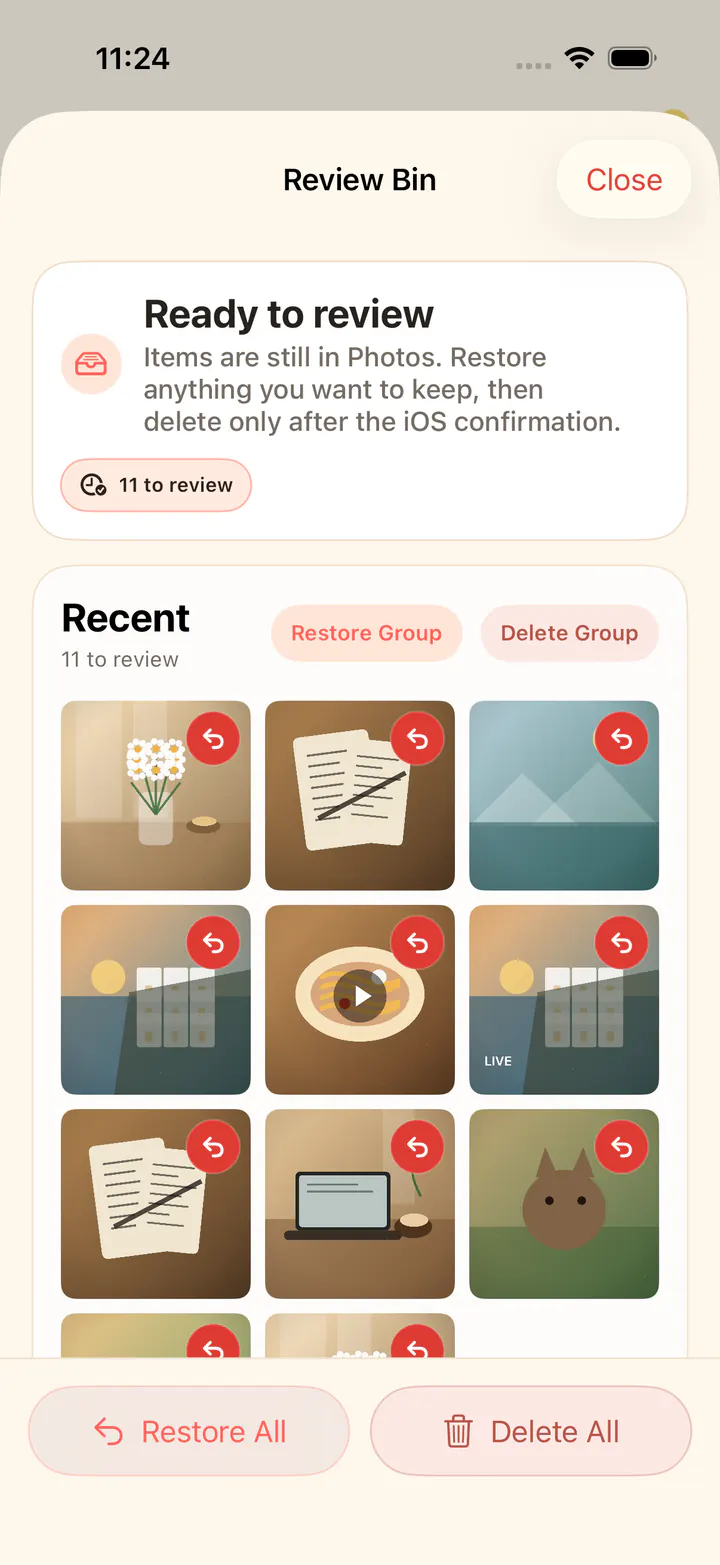
You open one small set — a day, a month, screenshots, videos, screen recordings, Live Photos, or a scene — and select the photos worth keeping. The bottom button follows that selection. Nothing selected means Clean All. A few selected means keep that count. Everything selected means Keep All. Items you do not keep move to the in-app Review Bin. They leave your library only after you confirm the standard iOS deletion prompt.
Each device can process 200 newly processed photos or videos for free. Browsing and manual Keeps are not limited by that allowance: you can name memories yourself, and one photo can belong to more than one Keep. When you want to continue cleaning, Weekly, Monthly, and Lifetime purchases are optional. Apple handles the payment, and the purchase page accepts an Apple offer code for weekly, monthly, or lifetime access. The app does not start a forced free trial, and it does not ask you to subscribe when it opens.
Similar photos are an opt-in scan on the device. KeepFirst groups lookalikes for you to compare. It does not promise exact-duplicate detection, and it does not delete a group for you. The Scenes tab, new in 1.4.0, can also group photos into scenes such as people, food, and scenery, and screenshots into chats, games, and orders and receipts. You turn it on yourself and it runs on the device. Photos and videos stay on your iPhone: there is no account, no photo or video upload, and no cloud AI recognition. If the camera roll is hard to scan first, sort photos on iPhone by date taken or size, then clean up iPhone photos one set at a time.
KeepFirst 1.4.0 reviews before it deletes, starts with 200 free items on each device, and keeps your photos on your iPhone.